Manage networks
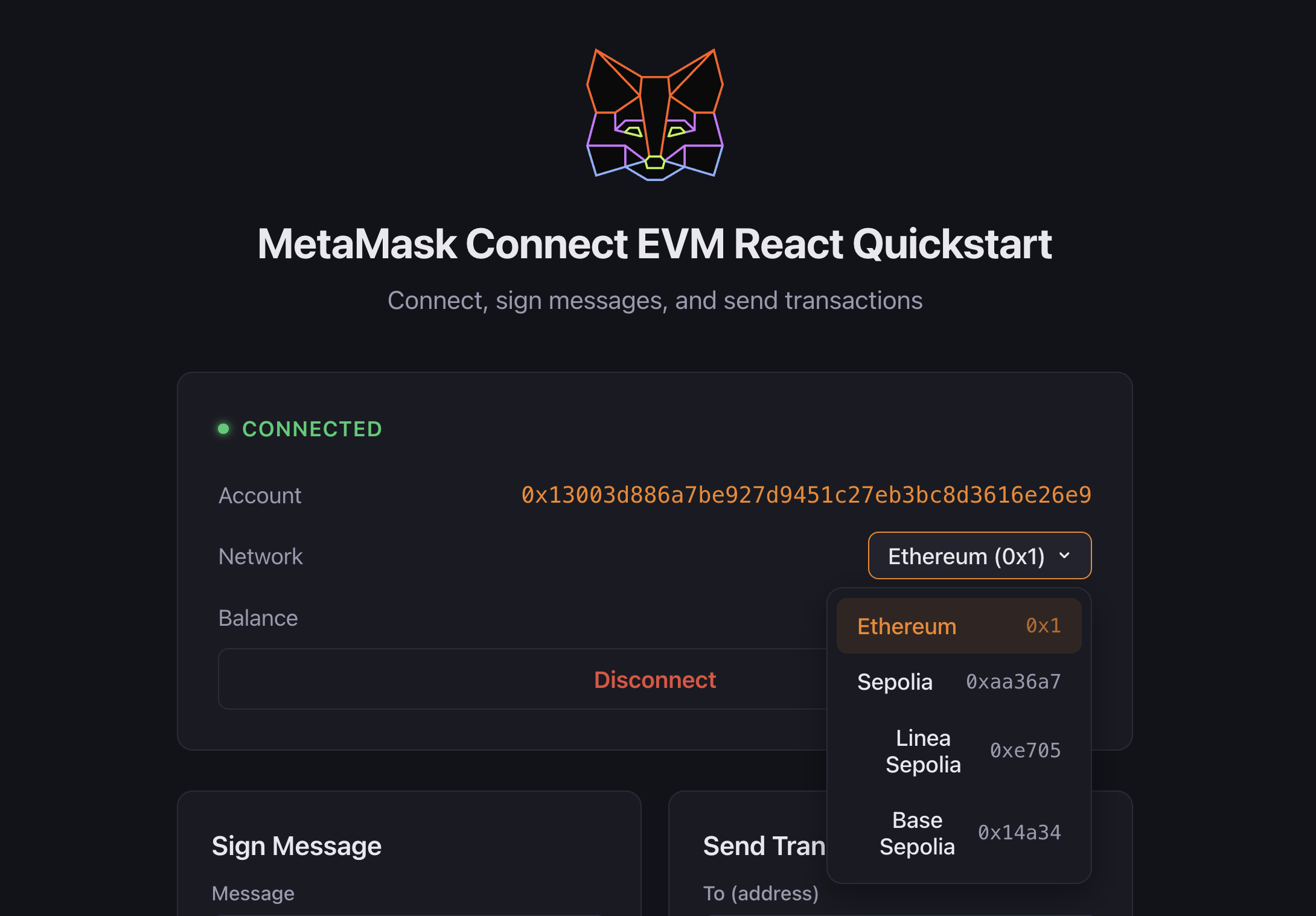
Use MetaMask Connect EVM to detect, switch, and add EVM networks in your dapp. MetaMask Connect EVM provides getChainId for detecting the current network, switchChain for switching between networks, and the chainChanged event for monitoring network changes in real time.
With MetaMask Connect EVM:
- Detect the current network and monitor network changes.
- Switch between networks programmatically.
- Add new networks to MetaMask.
- Handle common network-related errors.
Prerequisites
Follow the JavaScript quickstart or Wagmi quickstart to install, initialize, and connect the EVM client.
Detect and switch networks
With Vanilla JavaScript, implement network management using
getChainId to get the current chain ID, and
chainChanged on the provider to track network switches.
With Wagmi, use the provided hooks for several network-related operations.
Start by detecting the current network:
- Vanilla JavaScript
- Wagmi
import { createEVMClient } from '@metamask/connect-evm'

const evmClient = await createEVMClient({
  dapp: {
    name: 'MetaMask Connect EVM Example',
    url: window.location.href,
    iconUrl: 'https://mydapp.com/icon.png', // Optional
  },
  api: {
    supportedNetworks: {
      '0x1': 'https://mainnet.infura.io/v3/YOUR_INFURA_API_KEY',
      '0xaa36a7': 'https://sepolia.infura.io/v3/YOUR_INFURA_API_KEY',
    },
  },
})

// Get the current chain ID
function getCurrentChain() {
  const chainId = evmClient.getChainId()
  console.log('Current chain ID:', chainId)
  return chainId
}

// Listen for network changes
const provider = evmClient.getProvider()
provider.on('chainChanged', chainId => {
  console.log('Network changed to:', chainId)
  // We recommend reloading the page
  window.location.reload()
})
Switch networks using switchChain. Pass the optional
chainConfiguration so unknown chains are added to MetaMask in the same step:
// Network configurations
const networks = {
  mainnet: {
    chainId: '0x1',
  },
  optimism: {
    chainId: '0xA',
    chainConfiguration: {
      chainName: 'Optimism',
      nativeCurrency: { name: 'Ether', symbol: 'ETH', decimals: 18 },
      rpcUrls: ['https://mainnet.optimism.io'],
      blockExplorerUrls: ['https://optimistic.etherscan.io'],
    },
  },
}

async function switchNetwork(networkKey) {
  try {
    await evmClient.switchChain(networks[networkKey])
  } catch (err) {
    if (err.code === 4001) {
      console.log('User rejected network switch')
    } else {
      console.error('Error switching network:', err)
    }
  }
}
Display the current network and a switch network button in HTML:
<div>
  <div id="networkStatus">Current Network: Loading...</div>
  <button onclick="switchNetwork('mainnet')">Switch to Mainnet</button>
  <button onclick="switchNetwork('optimism')">Switch to Optimism</button>
</div>
import { useChainId, useChains } from 'wagmi'

function NetworkStatus() {
  const chainId = useChainId()
  const chains = useChains()

  const currentChain = chains.find(c => c.id === chainId)

  if (!currentChain) {
    return <div>Not connected to any network</div>
  }

  return (
    <div>
      <div>Connected to {currentChain.name}</div>
      <div>Chain ID: {chainId}</div>
      <div>Supported chains: {chains.map(c => c.name).join(', ')}</div>
    </div>
  )
}
Switch networks:
import { useSwitchChain } from 'wagmi'

function NetworkSwitcher() {
  const { chains, switchChain } = useSwitchChain()

  return (
    <div>
      {chains.map(chain => (
        <button key={chain.id} onClick={() => switchChain({ chainId: chain.id })}>
          Switch to {chain.name}
        </button>
      ))}
    </div>
  )
}
Handle network changes:
import { useChainId } from 'wagmi'
import { useEffect } from 'react'

function NetworkWatcher() {
  const chainId = useChainId()

  useEffect(() => {
    console.log('Chain ID changed:', chainId)
  }, [chainId])

  return null
}
Best practices
Follow these best practices when managing networks.
Error handling
- Implement error handling for network switching operations.
- Provide clear feedback messages to users when network operations fail.
- Handle cases where networks need to be added before switching.
User experience
- Display loading states during network switches.
- Show clear network status information at all times.
- Consider warning users before initiating network switches.
- Use an RPC provider that supports your target networks.
Common errors
The following table lists common network management errors and their codes:
| Error code | Description | Solution |
|---|---|---|
4902 | Network not added | Use wallet_addEthereumChain to add the network first. |
4001 | User rejected request | Show a message asking the user to approve the network switch. |
-32002 | Request already pending | Disable the switch network button while the request is pending. |
Next steps
See the following guides to add more functionality to your dapp: